

SuperAce88 OTP Not Received? Why Codes Go Missing or Expire
 superace88admin
·
November 5, 2026·8 min read
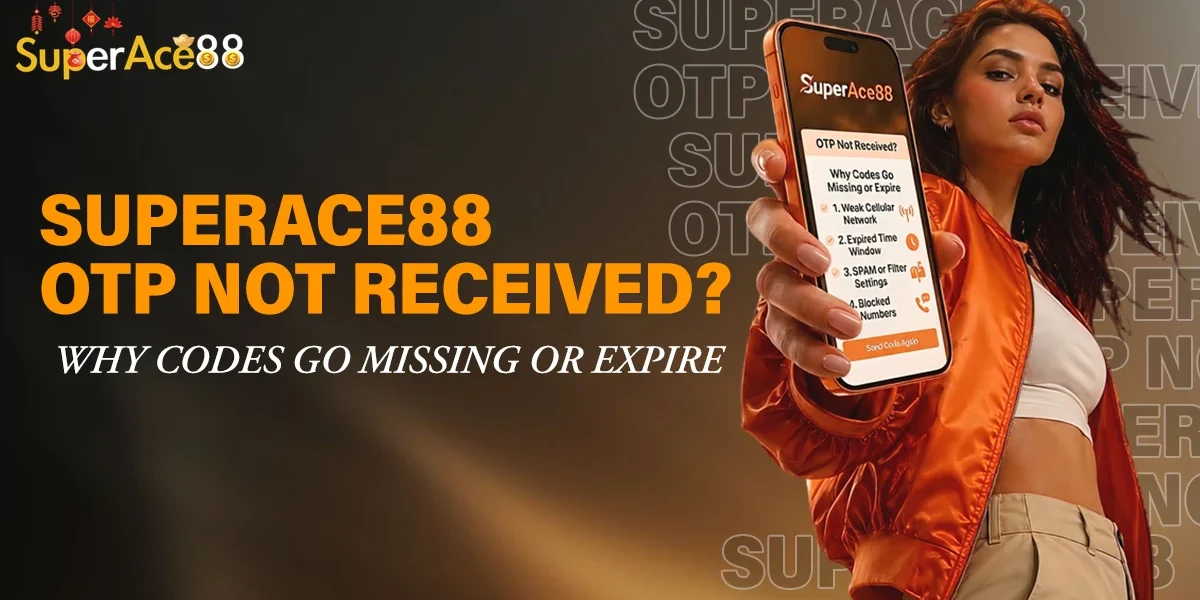
SuperAce88 OTP Not Received can become a concern when you request a verification code, but nothing appears in your messages. Sometimes the code arrives late, reaches an unexpected folder, or becomes invalid before you can use it. These situations may look similar, but each requires a different check.
A one-time password (OTP) is a temporary security code used by some online services to confirm an action. This guide focuses on missing, delayed, expired, and rejected verification codes, helping you identify what happened without making repeated requests or relying on unverified recovery methods.
Identify What Happened to Your Verification Code
Before requesting another OTP, determine whether the code is missing, delayed, expired, or rejected. A message that never arrives is different from one that reaches you after the verification period has ended.
The table below separates common OTP problems and the details worth checking.
| OTP Situation | Possible Explanation | What to Check |
| No message received | Delivery issue or incorrect destination | Registered contact information |
| Message arrives late | Network or provider delay | Message arrival time |
| Code expires | Verification period has ended | Current instructions |
| Code is rejected | Incorrect or outdated code | Entered characters |
| Resend option is unavailable | Waiting period or request limitation | Displayed resend notice |
| Message appears in another folder | Email or SMS filtering | Spam and blocked messages |
These are general verification problems, not confirmed SuperAce88 error messages.
Check Where the Verification Code Was Sent
One possible reason for SuperAce88 OTP Not Received is that the code was directed to contact information you no longer use. This can happen when a phone number changes or an older email address remains associated with an account.
Review the Displayed Contact Details
Some verification screens show part of the destination number or email address. If this information appears, compare the visible characters with your registered contact details.
Check the country code, final digits, or email spelling. Do not assume you can change the destination directly unless the verification screen provides that option.
Consider Recent Changes to Your Contact Information
A replaced SIM card, discontinued phone number, or inaccessible email inbox may explain why a message is missing.
If you no longer control the displayed destination, repeated OTP requests are unlikely to help. Ask an independently verified support channel whether another authorized verification method is available.
Why SMS Verification Codes Arrive Late
SMS delivery depends on more than the website sending the request. Mobile networks, message routing, temporary congestion, and phone settings can affect when a text reaches your device.
When investigating SuperAce88 OTP Not Received, check whether the problem involves the message arriving late rather than never being delivered.
Examine Your Mobile Signal and SIM
Confirm that the SIM associated with the registered number is active and can receive ordinary text messages.
If you use two SIM cards, inspect the messaging inbox for the correct number. A phone may receive messages for both SIMs while displaying them in one application.
Understand Carrier Delivery Delays
Automated verification messages may travel through different delivery systems from ordinary personal texts.
A strong signal does not guarantee immediate delivery. If a code arrives several minutes after your request, compare its arrival time with any expiration notice shown on the verification screen.
Avoid assuming that SuperAce88 guarantees instant SMS delivery.
Check Whether an Email OTP Was Filtered
If the current verification process offers email delivery, a missing code may be sitting outside your primary inbox.
Email services automatically sort incoming messages, and automated notifications can occasionally appear in spam, junk, promotions, or other filtered folders.
Search Beyond the Main Inbox
Check available folders and search for recent verification messages.
Review the sender’s address carefully before opening links or following instructions. A message mentioning a familiar website is not automatically legitimate.
Review Inbox Filters and Storage
Custom filtering rules may move messages into another folder or archive them automatically.
A mailbox with insufficient storage may also have trouble accepting new messages. Check whether recent emails from other senders are arriving normally.
These checks apply only when email is an available verification method.
Understand Why an OTP Expires
An OTP is generally valid for a limited period. This prevents an old code from remaining usable indefinitely.
A SuperAce88 OTP Not Received problem can therefore become an expiration issue when the message arrives after its permitted verification period.
Check the Code’s Validity
If the verification screen displays an expiration notice or countdown, follow that information.
Do not assume a code remains valid for a standard number of minutes. Expiration periods vary, and SuperAce88’s current OTP validity rules have not been independently confirmed.
Avoid Entering an Expired Code Repeatedly
Once the website identifies a code as expired, entering the same code again is unlikely to help.
Follow the available instructions for requesting another code, if that option is provided. Wait for the relevant request to finish before entering a replacement.
Why a Received Verification Code Gets Rejected
Receiving an OTP does not always mean verification will succeed. A code may be entered incorrectly, belong to an older request, or no longer be valid.
For SuperAce88 OTP Not Received, this distinction matters because a rejected code is an acceptance problem rather than a delivery failure.
Check for Incorrect Characters
Enter the code exactly as it appears in the message.
Avoid adding spaces when copying text. If your device automatically fills the verification field, inspect the characters before submitting.
Read any response shown by the website instead of assuming every rejection means the code expired.
Identify Codes From Earlier Requests
If you requested more than one OTP, messages may arrive in an unexpected order.
Some verification systems invalidate previous codes when new ones are issued. Others may use different rules.
Because SuperAce88’s specific behavior is unconfirmed, follow the active verification screen rather than assuming the newest message always works.
What Happens When You Request Multiple OTPs?
Repeatedly selecting the resend option may create confusion, especially when earlier messages arrive after later requests.
When SuperAce88 OTP Not Received occurs, it is better to observe the current request before submitting another one.
Check for a Resend Countdown
Some services display a waiting period before another verification code can be requested.
If a countdown appears, allow it to finish. Do not assume a particular waiting period or daily request limit unless the website states one.
Keep Track of the Active Request
Notice when you requested the latest code and whether a new message appears afterward.
If several messages arrive, avoid testing every code repeatedly. Follow the instructions for the current verification request and stop if the website displays a restriction or error notice.
How to Tell Whether an OTP Was Actually Requested
Sometimes the issue begins before message delivery. Selecting a resend button does not necessarily mean the website successfully submitted a new request.
Look for a confirmation message, updated countdown, or another visible indication that the request was accepted.
If no response appears, avoid assuming a code has been sent. Record what happened on the verification screen, including whether the button changed or displayed a notice.
This helps distinguish a request that was never confirmed from a message that was sent but not delivered.
Document an OTP Delivery Problem Clearly
If SuperAce88 OTP Not Received continues, recording a few details can make the issue easier to explain.
You do not need to share the actual verification code. Instead, document the behavior surrounding the request.
Useful details include:
- Whether the code was missing, delayed, expired, or rejected
- The verification method displayed on the website
- The approximate time the code was requested
- Whether the resend option responded
- Any countdown or error notice shown
- Whether multiple messages arrived out of order
Do not include passwords, complete verification codes, or unnecessary personal information in screenshots.
When to Request Verification Assistance
If the available checks do not explain the problem, seek guidance through an independently verified support channel.
Explain whether the message never arrived, appeared after a delay, or was rejected after entry. Ask which verification methods are currently supported and whether there are documented resend restrictions.
For SuperAce88 OTP Not Received, accurate observations are more useful than repeated requests or guesses about the verification system.
Remember that verification codes are private. Never share an active OTP with someone offering to complete the process on your behalf.
Final Thoughts
SuperAce88 OTP Not Received may involve an incorrect delivery destination, delayed SMS or email, expired verification codes, or confusion caused by multiple requests. Understanding which situation occurred is the first step toward identifying an appropriate solution.
Check the intended contact method, review message delivery and filtering, and follow the instructions displayed on the active verification screen. If the issue continues, document the details and request assistance through a verified channel without exposing sensitive account information.
Related Articles
SuperAce88 Forgot Password? Essential Steps for Account Recovery
SuperAce88 Forgot Password is a common concern when you cannot remember your account password or your…
SuperAce88 Login Not Working? Common Causes and Practical Fixes
SuperAce88 Login Not Working can happen when the website opens, but you cannot complete the sign-in…